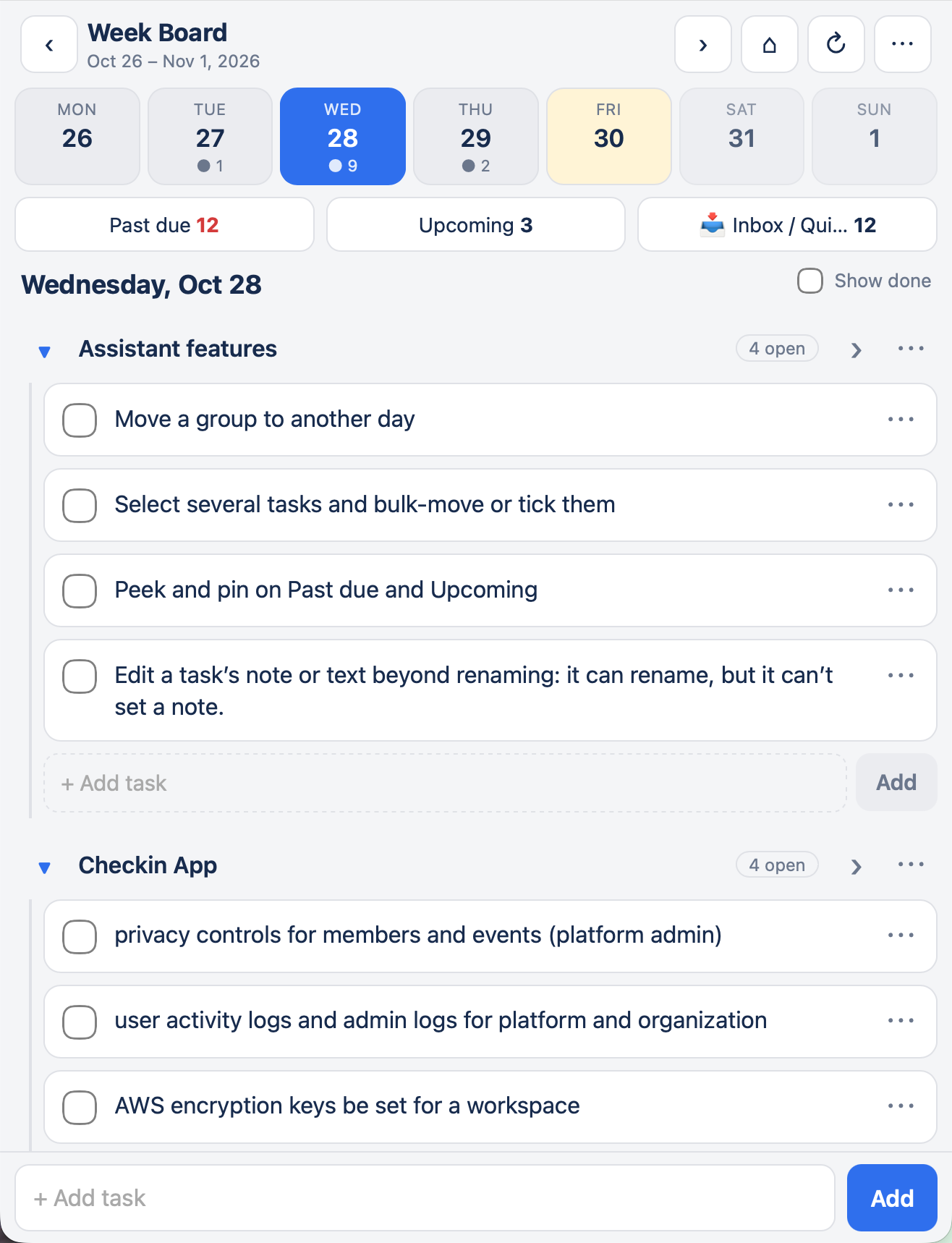
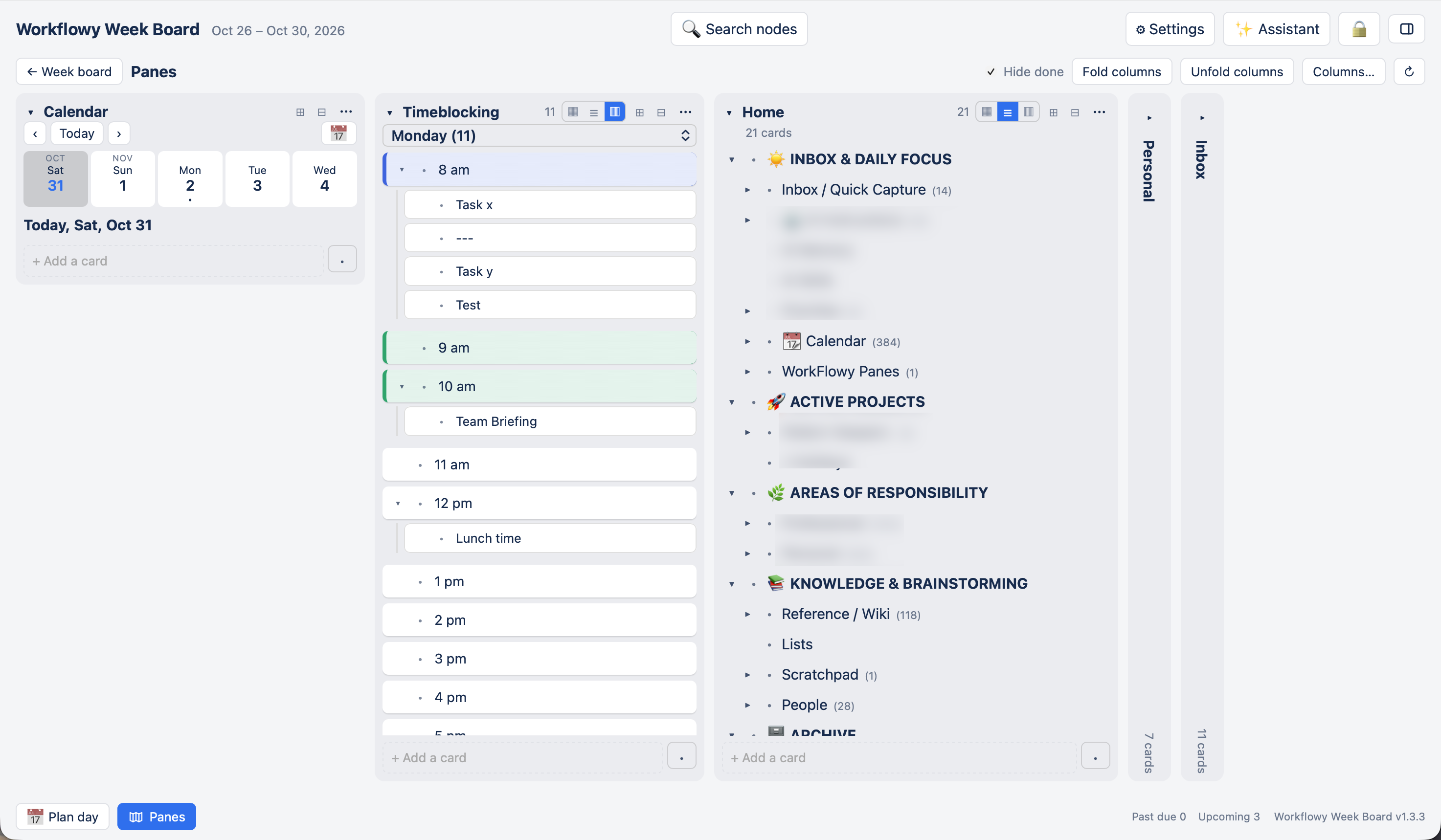
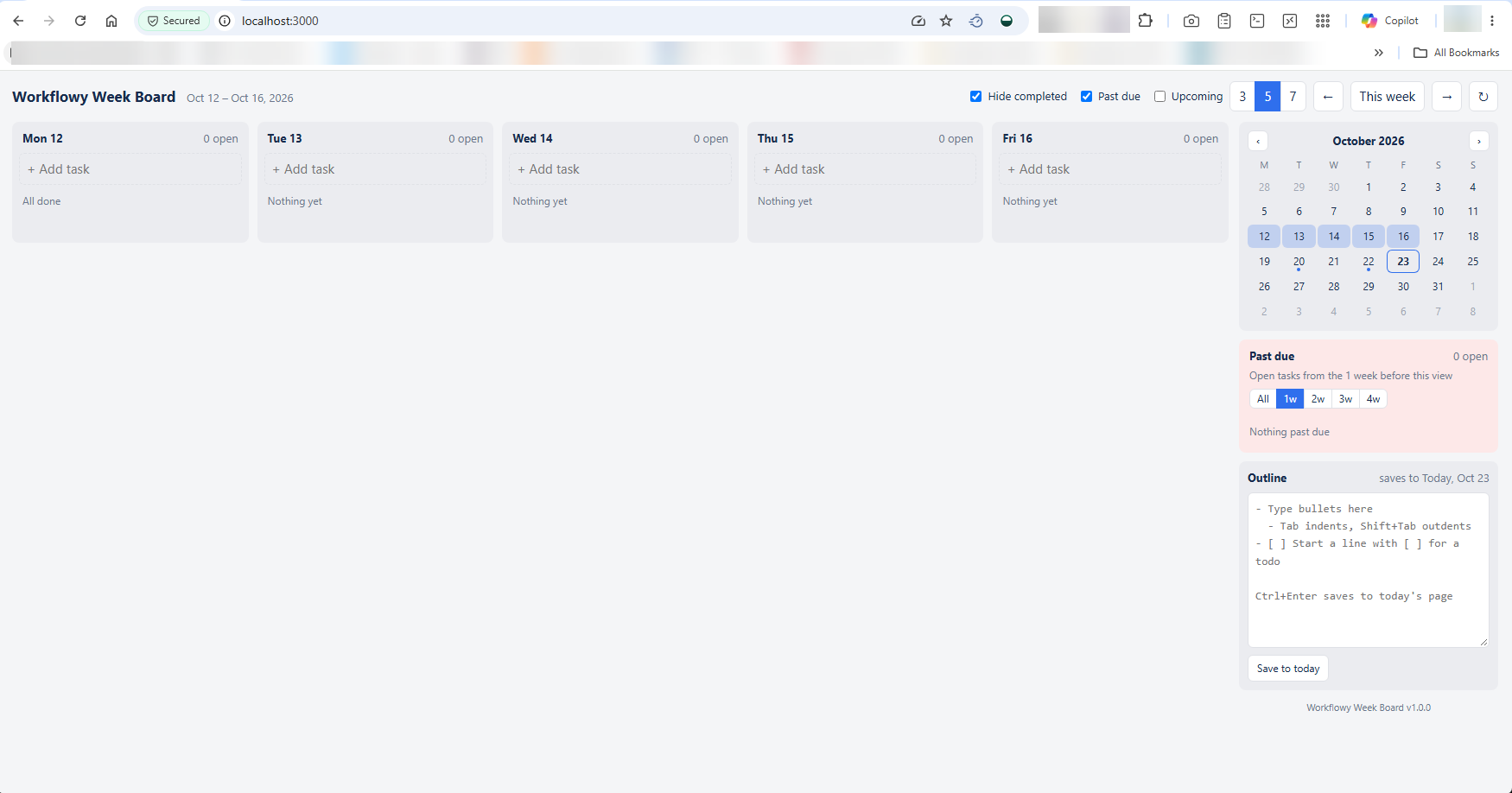
I created a Workflowy Week Board which visualizes my week’s tasks. The page includes a visible calendar and access to the daily note. I built using the Workflowy API that has been released. Here is the link to try the code if interested. GitHub workflowy-weekboard
I am open to suggestions for improvements. There are some limitations based on what is available via the Workflowy API that have been provided.
Workflowy Week Board: a kanban-style week view for your WorkFlowy todos
Each day is a column, and everything you do on the board (add, tick off, edit, move, delete) saves straight back to WorkFlowy through its API. The board stores nothing itself. It’s a zero-dependency Node server plus one HTML page, with no build step.
Core functionality
Week board: 3, 5 or 7 day columns from your WorkFlowy calendar pages, with week arrows, a month calendar and a Today button.
Quick capture: add tasks to any day, edit in place with a double-click, tick off, delete, and Undo (Ctrl/Cmd+Z) for moves, deletes and ticks.
Move tasks: drag a card to another day, use the calendar button (Today, Tomorrow, next Monday or any date), or select several tasks and move them together.
Nested tasks: tasks indented under a plain bullet show as one Group card with a checklist, or are Flattened into individual cards. You can add tasks and whole groups straight from the board.
Sub-items: a count and an openable checklist on tasks that have sub-items.
Past due and Upcoming: optional panels for open tasks from before and after the visible days, with a one-click move to today. With a panel switched off, its count shows at the bottom right, and clicking it peeks at the panel without changing your setting ( keeps it on).
Daily page: a notes pane for the day, with an add box that writes to a notes bullet on that day. It follows Hide completed.
Plan day: pick a day, set a daily task limit, and bring in open tasks from past days or from other WorkFlowy nodes such as an Inbox.
Search nodes: a full-outline search window with an item editor for text, notes, ticking tasks and indenting lines.
Reminders: put @2:30pm in a task, or use WorkFlowy’s own date tag with a time. The card gets a badge and a popup (✓ Complete, Snooze 5 to 60 minutes, Dismiss). You can also get a system notification, or a push to your phone through ntfy (free) or Pushover when the board is closed.
Hide completed, sidebar toggle and Settings: all remembered per browser.
Running it
Localhost: listens only on your computer, with no login.
WorkFlowy cannot encrypt your outline end to end, so this add-on lets you encrypt the sensitive parts of your own text before it goes into WorkFlowy. WorkFlowy then stores unreadable text, and only someone with your passphrase can read it.
It works inside the board’s item editor, so you don’t have to copy and paste between panels. It needs board 1.2.1 or newer.
A phone page. Open `/m` on your phone for a version built for small screens, while the desktop board stays exactly as it was. A strip of Mon–Sun or Sun-Sat chips at the top shows how many tasks are open each day; tap a day to see its tasks full width, or swipe the list left and right to change day. Tick a task to complete it, tap it (or its ⋯) to edit it, move it to another day, or delete it, and type in the bar at the bottom to add a task to the day. Show done reveals finished tasks, the ‹ › buttons change week, ⌂ jumps to today. Phones that open the main address are sent to `/m` automatically; ⋯ > Open the desktop page in the phone page goes the other way for that session (or add `?desktop=1` to the address).
Time blocking (1.4.0): give a task a start time (^9am) and its estimate becomes the block length. A panel shows each day as a timeline you can drag tasks onto. It also has quick blocks (Meeting, Lunch…) and a Day template, with automatic “prepare a week ahead”.
Priorities and estimates (1.3.8):!p1–!p4 and ~45m in a task’s text. Cards get coloured edges, days are sorted by priority, and day headers show time totals. Plan day can measure hours.
Saved filters (1.3.8): search the whole outline with things like p:1-2 due:week #work, with estimated-time totals. They understand WorkFlowy dates inside tasks (1.3.9).
Repeating tasks (1.3.7):!every week and similar, with an optional end date or count. The server makes the next copy.
Early alerts (1.3.7):!1h, !1d and !1w before a reminder.
Past day alerts (1.3.4): a red count or edge on past days that still have open tasks.
Notes and structure
All-day notes (1.3.7, reworked in 1.5.0): now plain !alld bullets; the WB-Notes folder is retired.
Checklists (1.5.0): a !list bullet whose items are tasks.
Template sync (1.5.1): day templates and quick blocks can be shared across machines through a WorkFlowy node.
Editing and safety
Edit like a text editor (1.3.6): in Panes, the Daily page and the item window, with many keyboard shortcuts, multi-select, paste and undo.
Undo for deletes, a check before saving over a newer copy, and an unsaved-changes warning (1.3.7).
Clickable #tags and @people (1.3.7).
Kanban: several titles side by side, and full-width columns (1.3.6).
Board layout
One icon row per day (1.5.0): Add task, Add group and Note. The time blocking clock joined it in 1.5.2.
Weekend column (1.3.7): matches the weekday headers (1.5.1) and lines up exactly (1.5.2).
Smaller changes: week arrows moved into the header (1.4.0), Hide estimates on cards (1.5.2), and reminder and repeat badges on live cards (1.5.2).
Phone page
Notes (1.4.0).
Priorities and estimates (1.3.9).
Checklists and the day outline view (1.5.0).
All-day notes, Repeat, early alerts and Search (1.3.7).
Time block a task, with desktop-style badges, and Hide estimates (1.5.3).
Settings and sharing
Shared settings between browsers (1.3.7), with more settings added since.
Writing feature switches (1.4.1): Time blocking, Repeating tasks, Notes, and Priority/estimate/reminder.
App icons for installing the phone page as an app (1.3.9).
Security and reliability
Sign-in lockout: hardened in 1.3.8 and 1.5.2.
Fewer repeated outline downloads when WorkFlowy is busy (1.3.8, 1.5.2).
Two tabs stay in step (1.3.7).
Screen reader labels and dark-mode contrast fixes (1.3.8–1.3.9).
 keeps it on).
 badge and a popup (✓ Complete, Snooze 5 to 60 minutes, Dismiss). You can also get a system notification, or a push to your phone through ntfy (free) or Pushover when the board is closed.