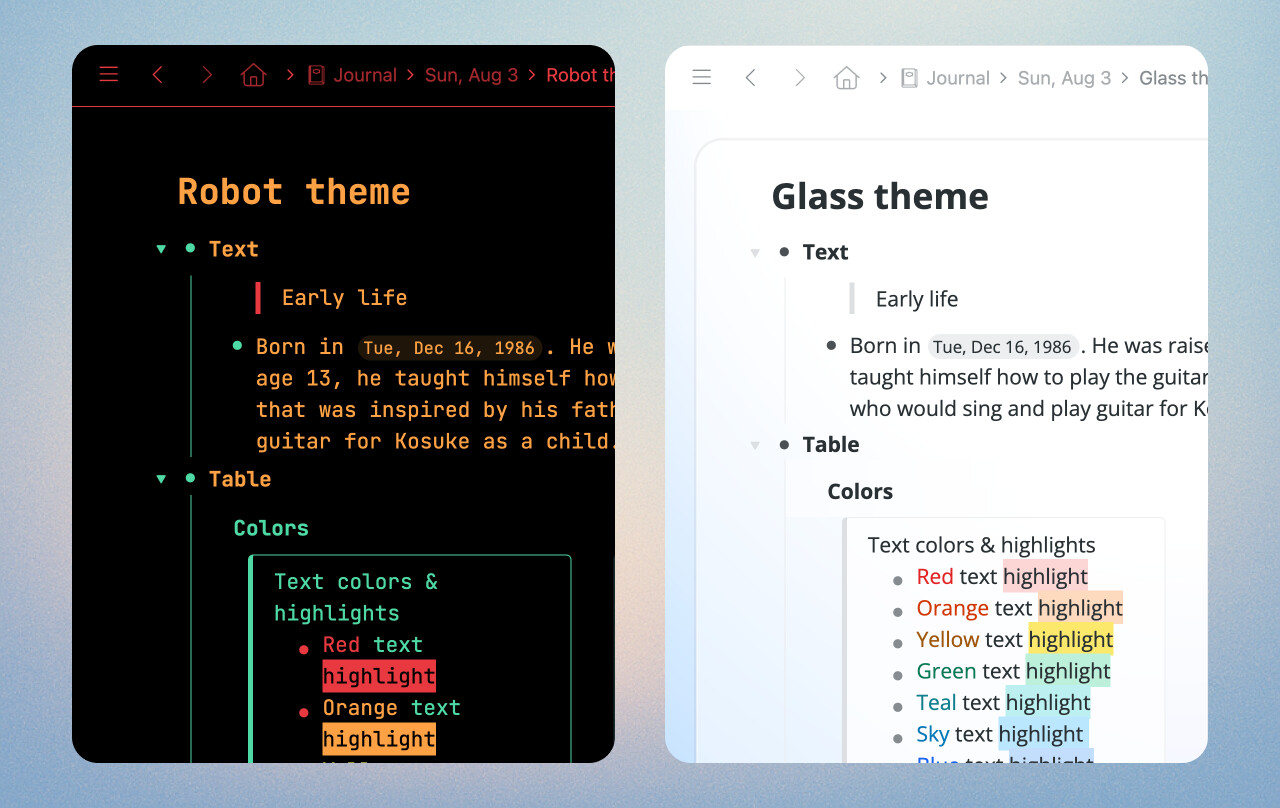
Two fresh new themes to help you make Workflowy your own: Robot and Glass.
Mirrors
Mirrors just got a little bit more reliable and useful:
Mirror nodes now appear in search results even when ‘Show completed’ is turned off, making it easier to find all of your content.
Moving Mirrors in the search results no longer causes them to disappear.
Mirrors stay selected after moving a group of them, so you can keep working.
Search and Organize
Friendly date search. Searching for natural language dates like “Today” or “Last week” in JumpTo, MoveTo, MirrorTo, and LinkTo menus now matches their corresponding dated nodes.
Improved multi-select dragging on mobile. Drag and drop for multi-selected nodes is now more reliable and you can drag bullets from different indent levels under a single node, and they’ll flatten correctly as expected.
Board columns no longer glitch when a collaborator is editing a shared board at the same time.
Better nested search. Nested search now supports multiple words. For example, searching Projects > Write draft -today will match nodes containing both “Write draft” and “-today”.
Hey Champions ! THANK YOU ! That’s a super great new functionnality !
Congrats. Super usefull.
May I suggest an iteration ? Would you be able to search any other “non-workflowy” date format ?
My use case is : New items are created in my inbox from other calendar tools throught simple zappier workflow. They appear as for instance “ Dec 01, 2025 04:30PM - 05:00PM - event name”
User value : XXL - as I won’t have to move them manually…
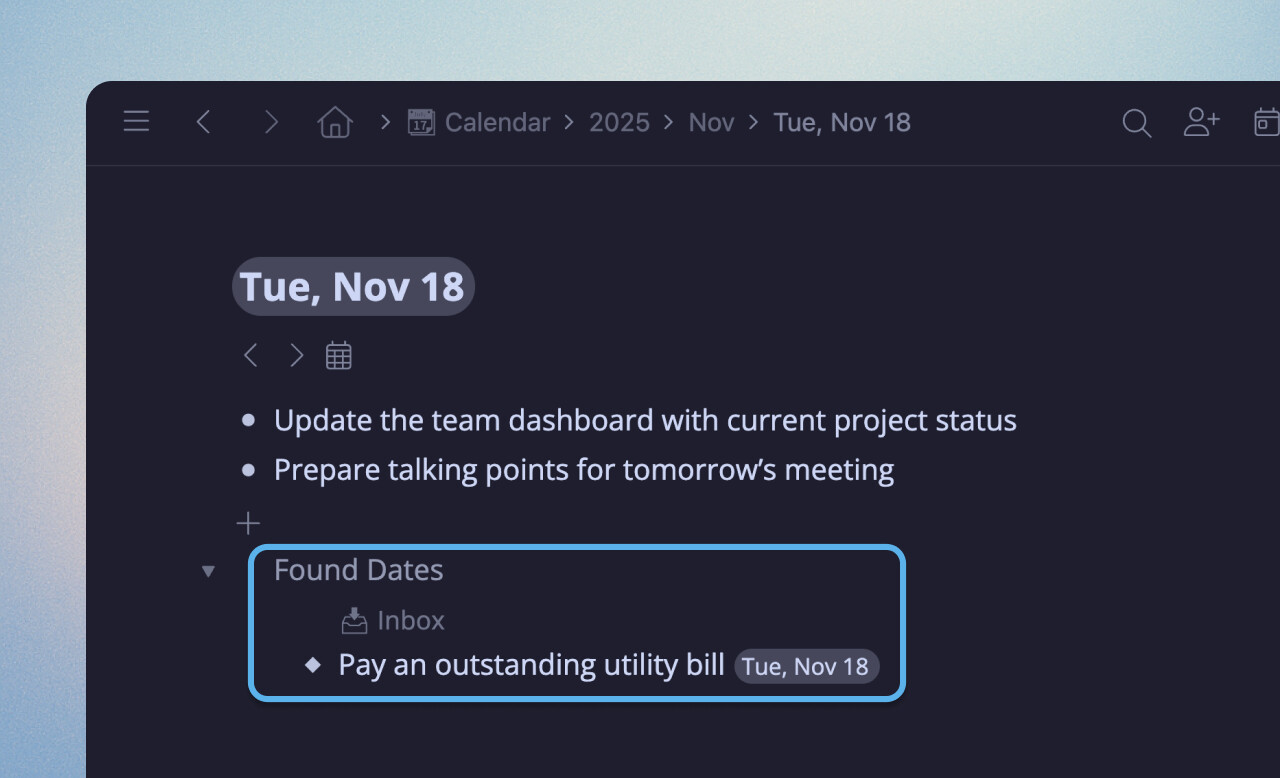
YAY for the “Found Dates”! I was hoping a feature like that was coming when the calendar was introduced. KUDOS for it coming so quickly!
Hopefully also coming - it seems like “Found Dates” don’t play nicely with searches as it currently stands. (ie - if I view my calendar at the “Week” level and try to filter for a tag to see all of a certain kind of task coming up in the week - it doesn’t pick up any of the “Found Dates”. Same for a specific day - if I want to see only things I’ve tagged as “priority 1” for the day - that doesn’t seem to work with Found Dates.).
I generally don’t want to MOVE things to the date, as I prefer my tasks stay in the project or area where I put them (so moving them to “today” to have searches work is not a good option for me.).
I could see this being a preference - sometimes I want found dates (or backlinks) as search results, and sometimes I may not. So a search flag to say “search found dates (or backlinks) for this tag” would also be a find solution for me.
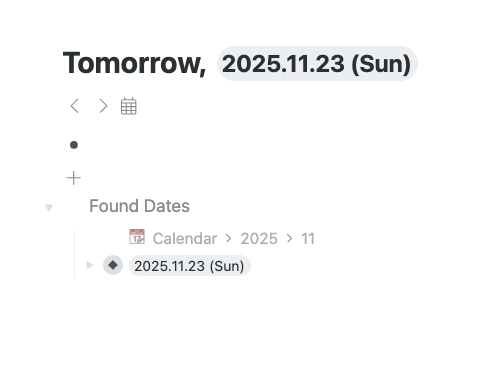
Is the found dates feature supposed to create a found date for the calendar entry itself? Cuz that’s what’s happening in my Workflowy. See picture below. Do I perhaps have something misconfigured? Or is that the intended behavior?
I LOVE ffound dates, but it doesn’t seem to support ranges, ie: giving 2025-01-01 to 2026-01-01 should make the item in the found dates of each day in the calendar. right now it only works for a singular date not a range. I think this is a BUG.
Loving the feature so far, but it seems like found dates don’t play well with shared notes? Only one person, the original creator is seeing the found dates from the shared note.