This is wonderful! One feature that would make a big difference is improved date recognition—specifically when typing at the start of a bullet point.
Let me explain:
If I have a bullet like: Buy milk at the store
…and I want to prepend it with a date, I currently have to do the following:
Type “today”
Press space
Hit the left arrow
Delete the “y,” retype it
Press tab
Or—I’ve just realized a slightly better way:
Press the space bar
Hit the left arrow
Type “today”
Press tab
It would be amazing if the system could recognize a date even when typed directly in front of the text—like this: todayBuy milk at the store (no space between)
That small enhancement would save me so many left arrow taps. I regularly add dates to completed tasks at work so I can sort them later—especially at the end of the year when I need to show what I’ve accomplished. Right now, each completion involves this small but repetitive bit of friction.
It’s probably a low-priority suggestion, but I figured it was worth sharing!
Well, I just asked a programmer to write some code to make it work this way. It’s on its way to be released (we usually release on Tuesdays, but had a hiccup this week). You can also try it now on beta.workflowy.com.
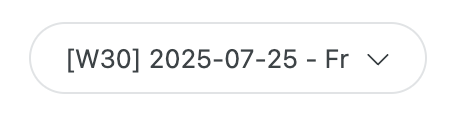
Based on the moment.js documentation, I suspect his custom date format (in settings) is [[]w[]] YYYY-MM-DD - dd. The w adds the week of the year. All the brackets are there to get [ and ].
I have a question about date recognition!
What if I get a huge list from someone. Where each line begins with date in this format dd.mm.yyyy .
And I copy-paste it to my Workflowy node. And Workflowy didn’t recognize dates at all!
It looks like just text. Therefore, the found dates feature didn’t work.
How can I tell Workflowy to recognize this text as a date object for the whole list?