Quick Add for Android
-
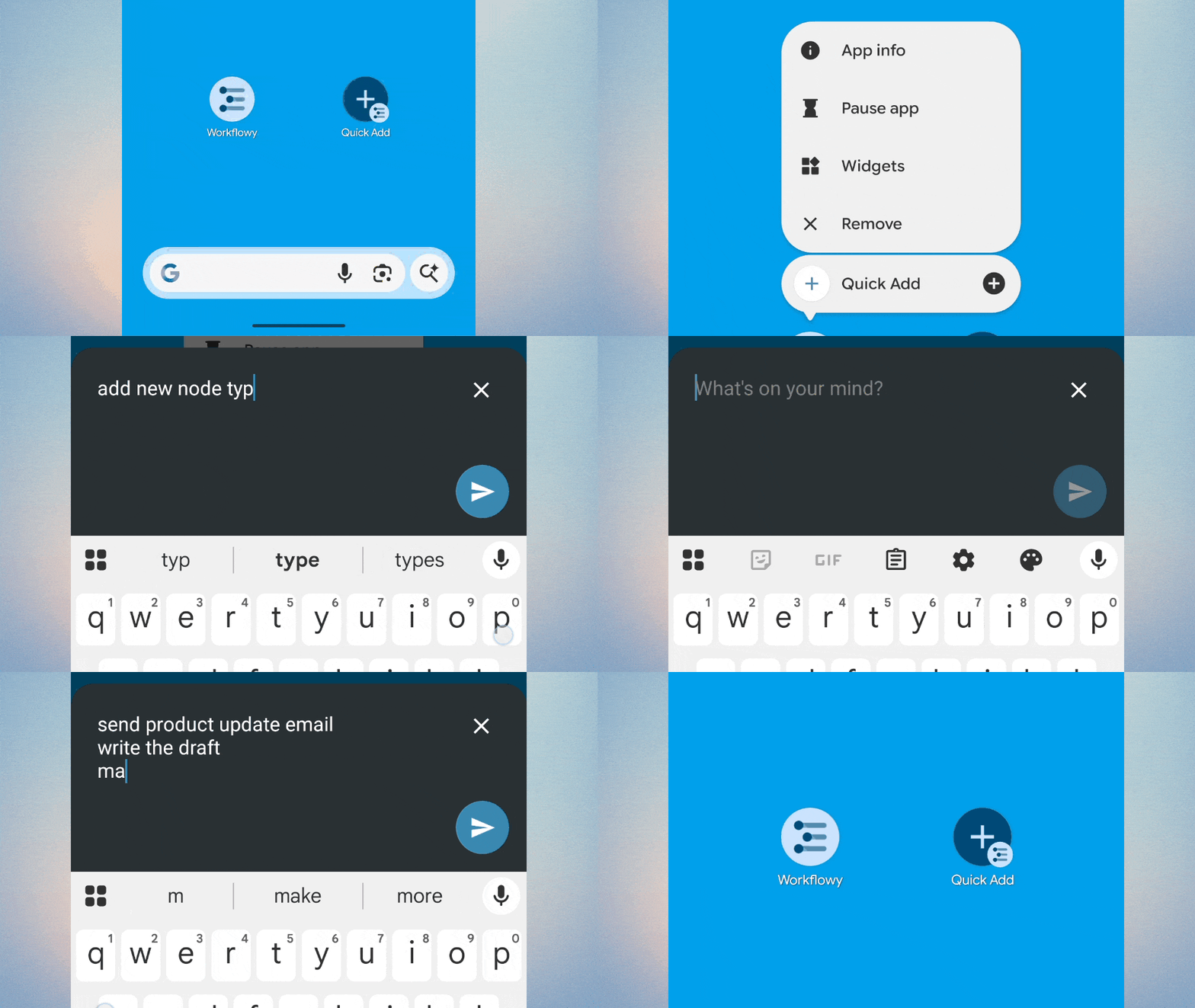
Capture thoughts instantly with Quick Add for Android. Get ideas out of your head and into WorkFlowy, then get back to that much more important thing you were doing.
-
Long-press the WorkFlowy app icon to access Quick Add, or add the widget to your homescreen for faster access. Press ‘Enter’ to turn following lines into sub-bullets.
-
Supports text and links and Android-only for now.
Calendar / Today
-
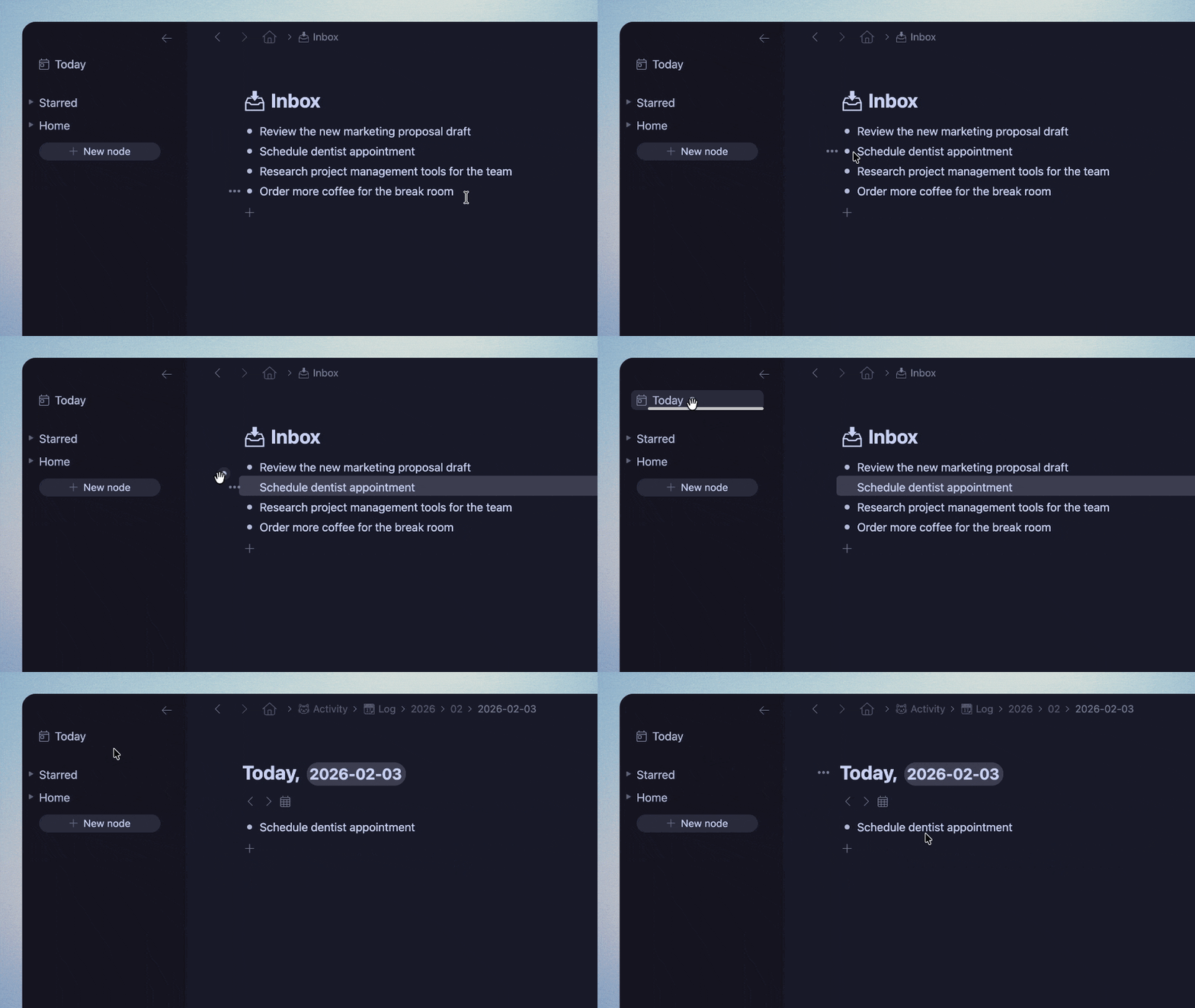
Drag nodes to the Calendar icon in the left sidebar to quickly move them to Today.
-
The Calendar Picker now includes Found Dates so you can see what’s coming up.
-
Found Dates now supports Date ranges, with nodes appearing for each day.
-
Found Dates now show in mirrors of the ‘Today’ node.
Numbered Lists
-
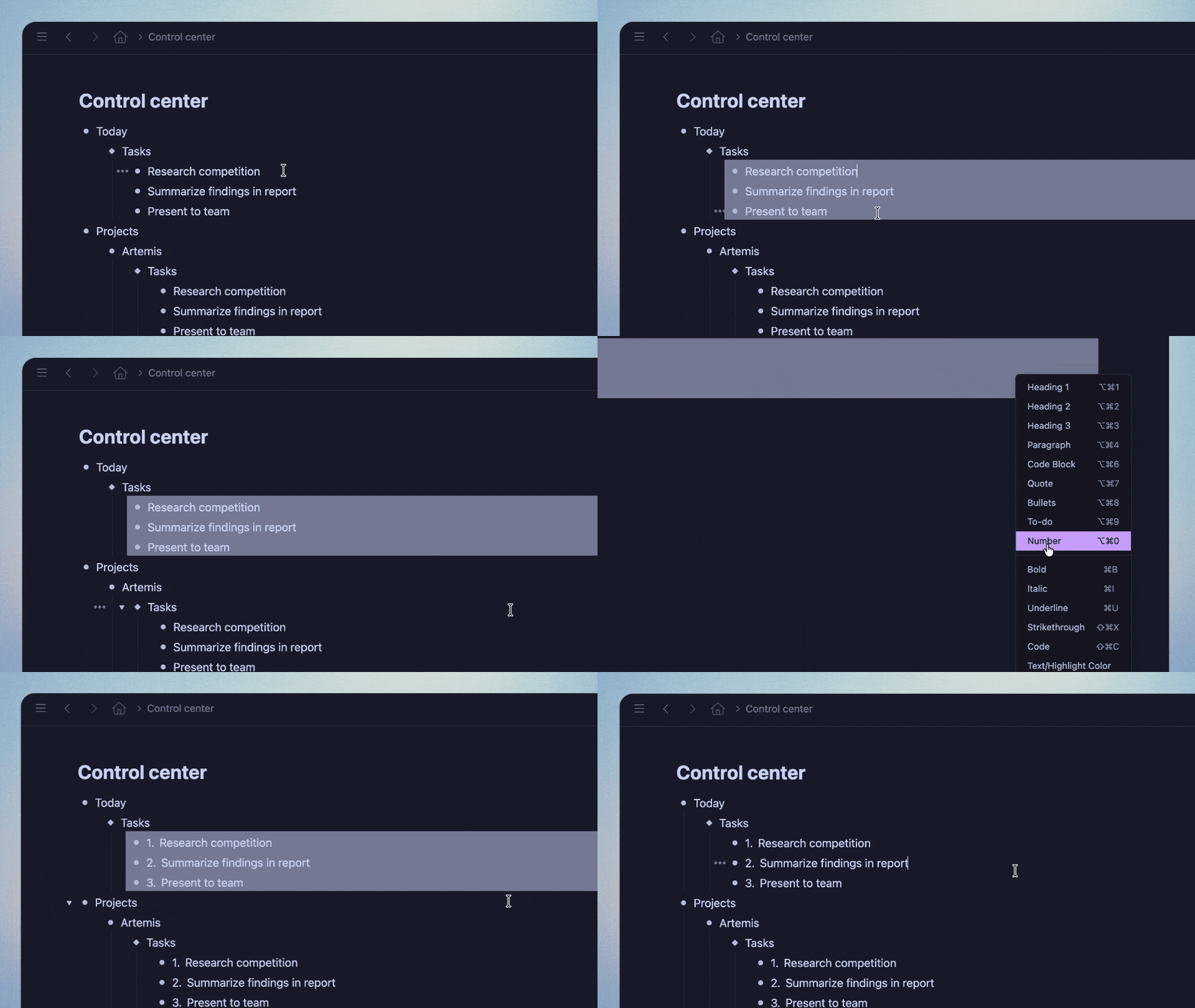
Turning a numbered node into another type now updates properly in Mirror copies.
-
Fixed wrapping issues with 4-digit and longer numbered lists.
-
Numbers at the start of bullets from before the Numbered List item type are now preserved when converting to Numbered Lists.
Quote and Code Blocks
-
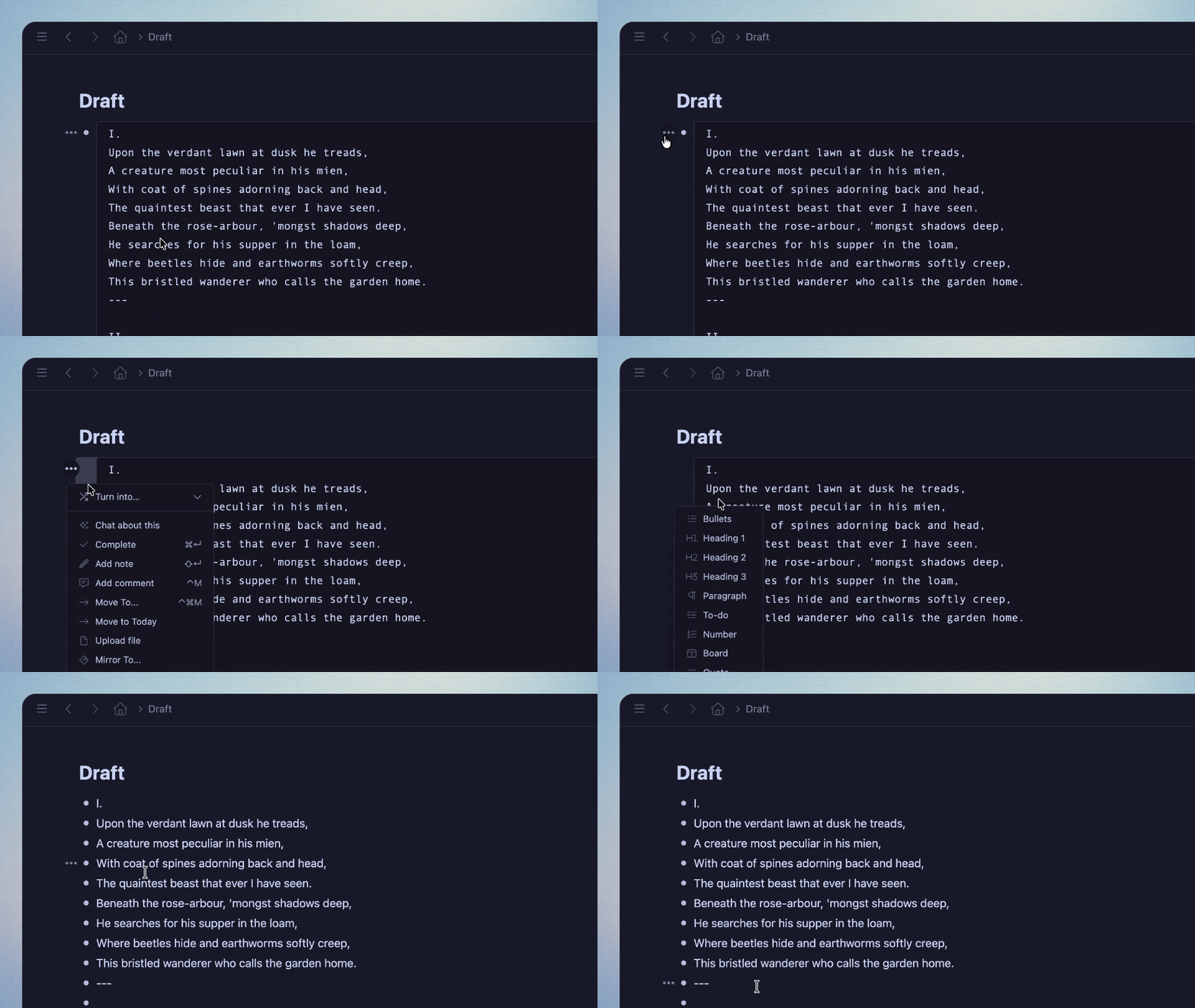
Converting Code Blocks & Quotes back to another item type now properly separates line breaks into individual nodes.
-
Converting multiple nodes into a Code Block or Quote now combines them into one block with line breaks.
-
Code Blocks display # and @ tags properly
General Fixes
-
iOS: Searches using quotes (“”) now work with Smart Punctuation turned on.
-
iOS: The Copy button in the Export screen now works reliably.
-
Fixed a bug where applying colors to hashtags with double quotes would make that color unavailable for text highlighting elsewhere.
-
Fixed text wrapping on Todo nodes with long text.
-
Fixed scrolling in the Add from Template search menu.
-
Mirrors are now highlighted when using a nested search.
-
Improved case sensitivity handling for languages like Turkish
-
Fixed unexpected behavior when copying colored text
Doc Changes
- Added Using Workflowy page