1. Stylish Tag
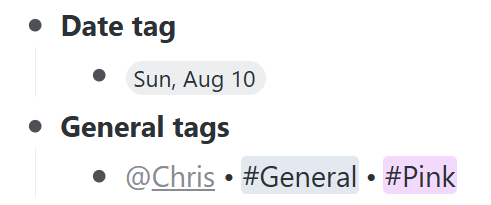
I wish there were an option to round the corners of regular tags, just like with date tags.
2. Stylish Bullet
I hope there were options for styling the shape and color of bullets as well. For example, to make Mirror items easier to distinguish, I currently use the Stylus Chrome extension to display them as light purple diamond-shaped bullets. However, this only works in Chrome and does not apply to the desktop or mobile apps. That’s why I hope WorkFlowy could have this feature built in.

3. PDF Preview
At present, except for image files, all other files only have a “download” option when uploaded. I’d like to have a “Preview” option for PDFs so that they can be opened directly on mobile devices without downloading.
4. Shortcut List
I may be mistaken, but it seems there’s no way to check which shortcuts have been assigned after creating them. Just like hovering over “@” or “#” in the search bar at the top right of the home screen shows all tags, it would be helpful to have a way to view all the bullets assigned as shortcuts.
5. A-Z Sorting Option
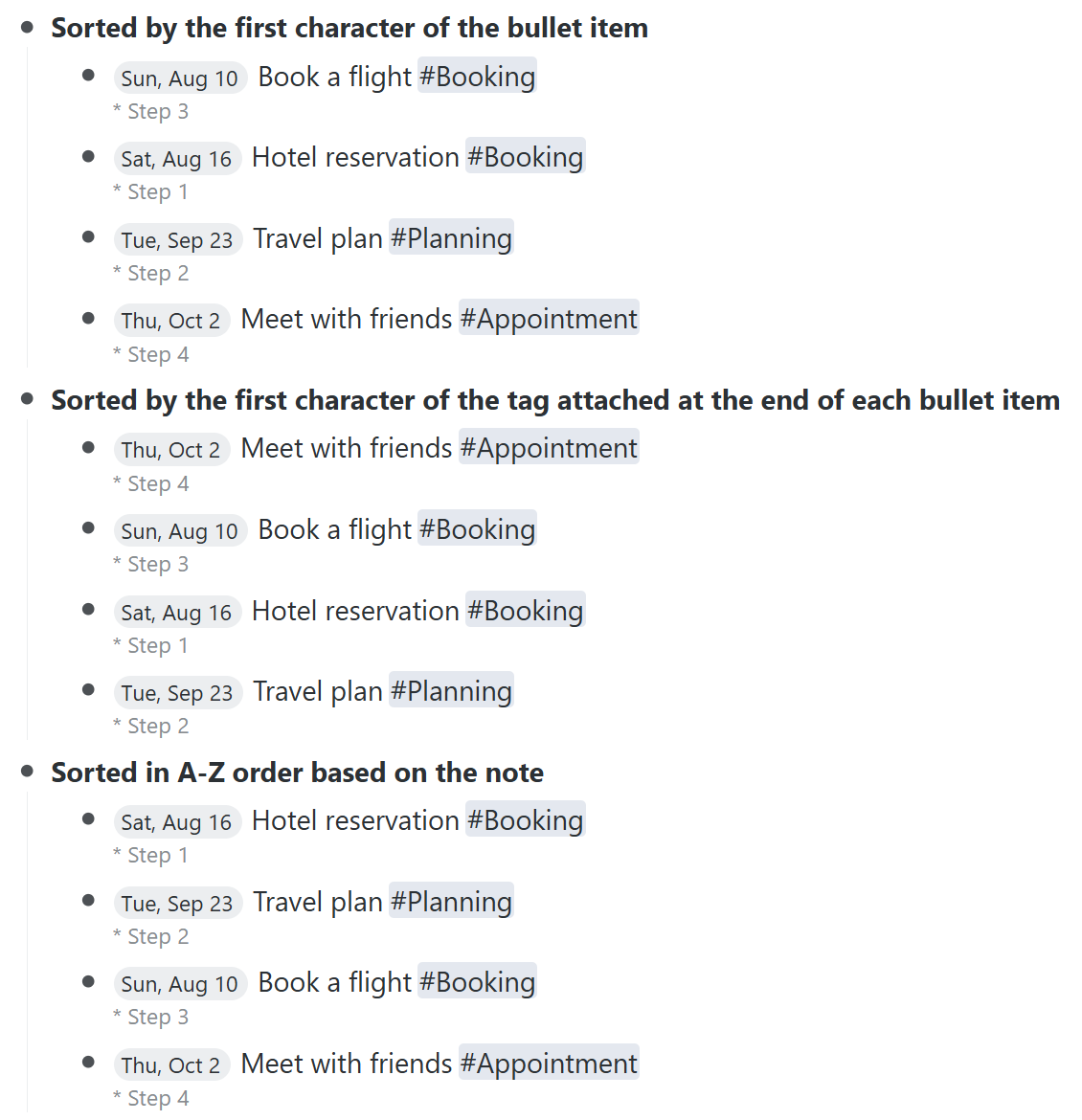
The current “Sort A–Z” option always sorts bullets based only on the first character of each item. However, if I put a deadline at the start and a category tag at the end of the item, there’s no way to sort them by category. Since the sorting is always based on the first part of the item (e.g., date), it becomes limiting. It would be useful to have a sorting option based on tags that appear at the end of the item, or at least have an option to sort A–Z by “note” content instead.
6. (Mobile) Multiple Selection
I appreciate that the mobile app recently added the ability to select multiple items via long-press. However, I’d also like an option to select items by swiping slightly to the right. Currently, swiping all the way to the right marks the item as “complete.” It would be nice if a slight right swipe could select the item, and swiping further could mark it complete—similar to the way the app Things 3 works. In that app, swiping slightly left selects an item, and you can then select multiple items in sequence.
7. (Mobile) Haptics
In Things 3, there is haptic feedback when selecting and moving items up or down. In WorkFlowy, which is structured as a tree, haptic feedback could provide not only visual but also tactile feedback, helping users better and more intuitively understand where they are moving items. I hope this could be added as an optional setting.
8. (Mobile) Swipe Options
Currently, swiping a bullet item to the left shows four icons (excluding “More”). I’d like the option to display up to five icons, and to customize which icons appear.
For example, when I want to turn a bullet into a “to-do” item on desktop (whether in Chrome or in the desktop app), I can do it instantly with the Ctrl+Alt+9 shortcut. But on mobile, converting an item into a “to-do” requires four steps:
① Swipe left
② Tap the far-right “More” icon
③ Select “Turn into”
④ Tap “To-do”
It would be great if converting to a “to-do” could be done in just one or two steps on mobile as well.