The current search are difficult to use especially for todo items.
A flatten search or option would be perfect as solution.
10 Likes
Hi Chicciaoch,
You can bookmark Flatflowy with the below as link. Then you can toggle it on and off by clicking on the bookmark:
javascript:(function flatFlowy_3_0(){function toastMsg(str,sec,err){WF.showMessage(str,err);setTimeout(WF.hideMessage,(sec||2)*1e3)}function fixFlatClicks(e){if(document.querySelector(“.page.searching”)&&e.target&&e.target.parentNode&&e.target.parentNode.className.includes(“bullet”)){location.href=e.target.parentNode.hash;e.preventDefault()}}const css=.page.searching .project .name{display:none}.page.searching .project.matches .name.matches,.page.searching .project.matches.noted .name,.page.searching .project.metaMatches .name{display:block}.page.searching .selected>.children>.project .project{margin:0 0 4px}.page.searching .children{margin:0;padding:0;border:0}.newMobileDesign .page.searching .selected .children .children{margin-left:-2px}.newMobileDesign .page.searching .selected .project>.name>.parentArrow{display:none}.newMobileDesign .page.searching .children .content{padding-right:0};const h=data:text/css;charset=UTF-8,${encodeURIComponent(css)};const s=document.querySelector(link[href="${h}"]);const noSearch=WF.currentSearchQuery()===null;if(s){if(noSearch)toastMsg(FlatFlowy: ${s.disabled?"ON":"OFF"});return void(s.disabled=!s.disabled)}const a=document.createElement(“link”);a.rel=“stylesheet”;a.href=h;document.head.appendChild(a);if(!navigator.userAgent.includes(“Mobile”))document.body.addEventListener(“click”,fixFlatClicks,false);if(noSearch)toastMsg(“Flatflowy: ON”)})();
4 Likes
We have this on our list to consider!
9 Likes
Yes, would be nice!
And a different structure can help a bit.
i have a main node for Todos:
- add all focus todos here, can be directly or mirrored todos from all over the place.
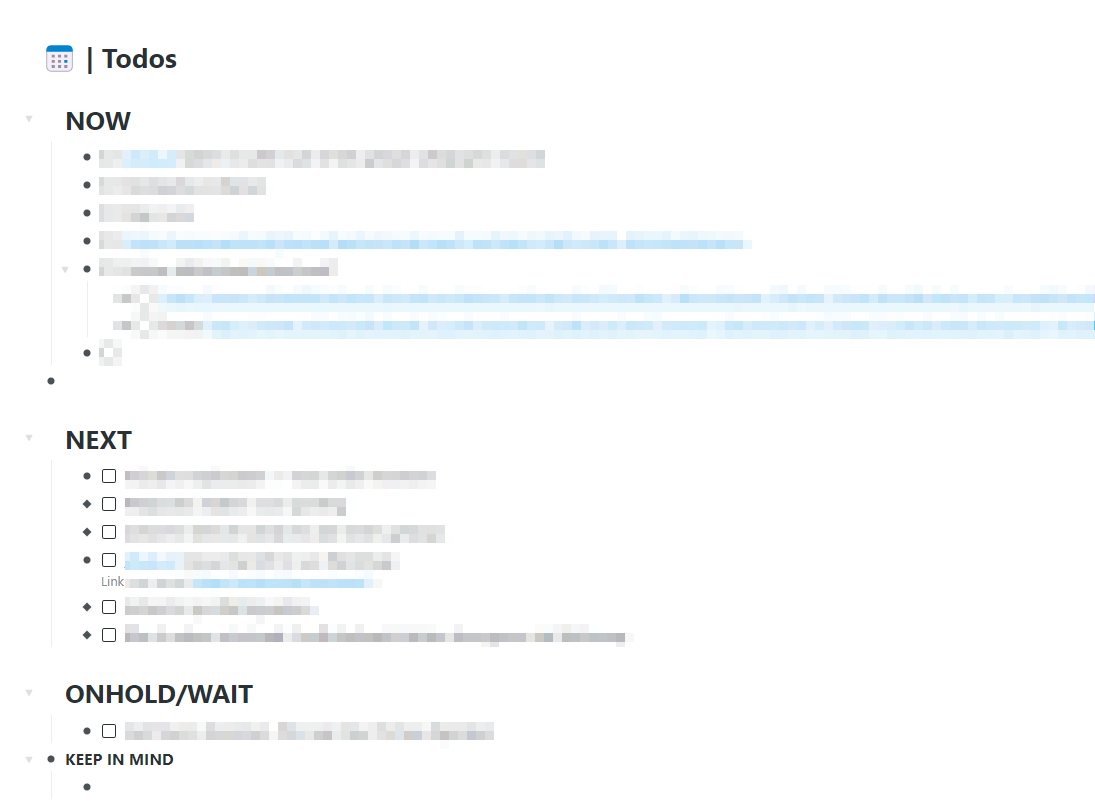
And nodes for personal/work projects that contain todos (never mirrors)
And multiple nested searches for todo overviews and i always put my todos in top of my projects.
Searches:
 | AREAS > is:todo
 | Personal projects > is:todo
Looks like a very well-structured system! Here’s a link to a book I wrote about the system I use:
@frankman777
Any hope to see in one of the future beta releases to test it
Thanks @arnaudgrimal
I already have the custom css flatten search in my custom css file so always works.
But it is still not perfect from a UI point of view no breadcrumbs.
1 Like
2 Likes
@arnaudgrimal
This is my current CSS I use directly in my custom CSS file to flatten the searches.
Any suggestions for improvements?
/************************/
/****  FLAT  SEARCH   ***/
/************************/

.page.searching .name,
.page.searching .notes {
    height: 0;
    opacity: 0;
    transition: opacity 0.3s ease;
}

.page.searching .project.matches .name.matches,
.page.searching .project.matches.noted .name,
.page.searching .project.metaMatches .name,
.page.searching .project.metaMatches>.notes,
.page.searching .project.matches.noted>.notes {
    height: auto;
    opacity: 1;
}

.page.searching .children {
    margin: 0;
    padding: 0;
    border: 0;
}

.page.searching .project.metaMatches .children {
    margin-left: 50px;
}

.done .fullMatch .content .contentMatch,
.fullMatch .content .contentMatch,
.project.metaMatches>.name.with-updates.annotationAdded>.content>.innerContentContainer,
.project.metaMatches>.name>.content>.innerContentContainer {
    background-color: transparent;
}
1 Like
Using CSS can often be effective, but is mostly a workaround/ hack for a feature that could be better implemented natively.
I’ve certainly done a lot of CSS hacking myself. Having said that, in the not-too-distant future, we would love to have a list-flattening type feature probably bundled into what we’ll call “search nodes”. At least that’s the name that’s been circulating.
8 Likes
In the structure you’re describing, how would it help to have a flat search feature? Would you stop using the NOW node with mirrors and just search for all todos instead? Do you currently use NOW as poor man’s flat search, basically?
Not so easy to just incorporate the WFx version? Which works well.
Does the CTRL+K function not provide a flat search?
I’ve been using it instead of the search box ever since I discovered this option.
Or does “flat search” mean something else?
3 Likes
@chiccoach Similar I suppose. Ctrl+K or Ctrl+; provides a selection list. Flat search would display the nodes in the the normal window. Flat is more flexible if you want to noodle a bit or if it is a long list. IMO
2 Likes
Thanks for clarifying, @calsi I agree that a list in the main window would provide more flexibility.
1 Like
A way to have a flat list of nodes containing a specific term is to create a first node containing that term. If you link any other node to that first node, all linked node will show up in the “backlinks” section of the first node. That first node becomes a search node for the term it contains.
It may sound like a lot of work, but linking to e.g. [[Now]] is not very different from using a #Now tag
That’s true, use if myself for key terms. Flatten search is more about ad hoc searches.
4 Likes
Flat searches are also very important not just for list owners, but also for other people who are visiting/reading large public lists. In my case, I’ve created a HUGE “library” of public resources, and there are several problems with using the current search box:
- The search takes a long time to deliver results. In fact, sometimes the search results never even resolve.
- When the search does resolve, the resulting list is extremely hard to review since much of the content is very deeply nested, and lots of extraneous ‘parent’ content makes it extremely difficult for the reader to find the term they were originally searching for.
This is why I’ve told my readers to use CTRL+K instead of the search box. It delivers a much cleaner, shorter list that is much easier to review.
But this is only a workaround, since many readers are likely to miss my recommendation about the CTRL+K search option. It would be far better if the search box itself delivered up the clean and simple list of bullets that a flat search would provide.
Better still would be a flat search result with a clickable icon that could open the parent context, IF this is was something the reader wanted to see. My guess, though, is that most readers wouldn’t even need to see this additional info, so access to the hidden parent context would only be nice-to-have, not necessary, IMHO.
4 Likes
+1 for this!
Flat search nodes would be awesome Frank. Must say the current features released are spot on.