Create visual hierarchy with headings and paragraph-style text.
Headings and paragraphs change how a bullet’s text is presented. The bullet is hidden until you hover over the text, but the item keeps its place in your outline and can still contain nested content.
Create a heading or paragraph
- Place your cursor in the text you want to change.
- Open the context menu.
- Select H1, H2, H3, or ¶ (paragraph).
- The node containing your cursor will be updated.
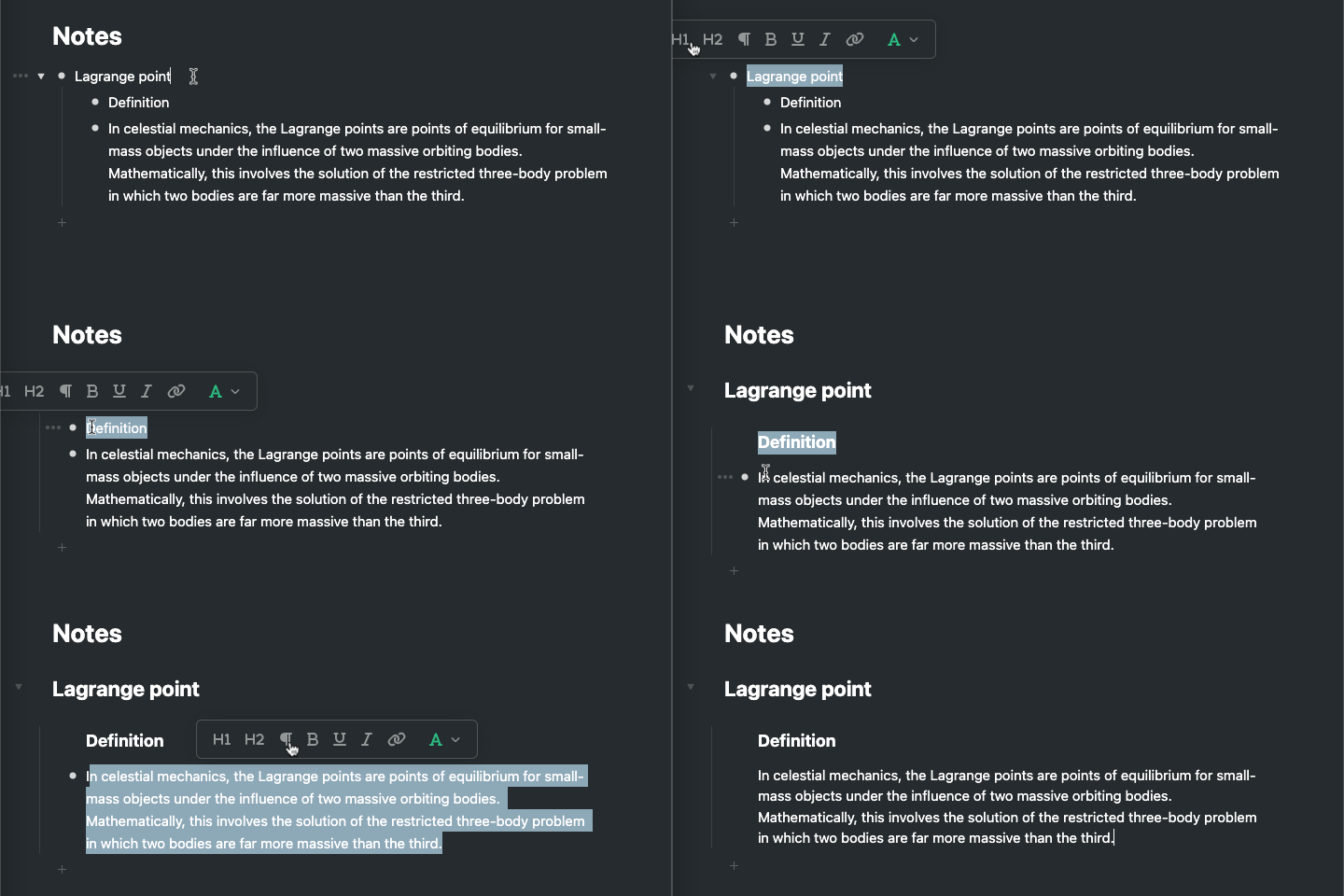
Slash command: To turn bullets into paragraphs or headings, use the context menu or the /Paragraph, /h1, /h2, or /h3 slash command.
Search operator: Use is:h1, is:h2, is:h3, or is:paragraph in search to filter by type.