Add the markdown feature to the note of the node.
This would be a game changer
3 Likes
Do you mean supporting markdown input in the note field? Or markdown output, or both?
@rodolfo
The first: Markdown input in the note field.
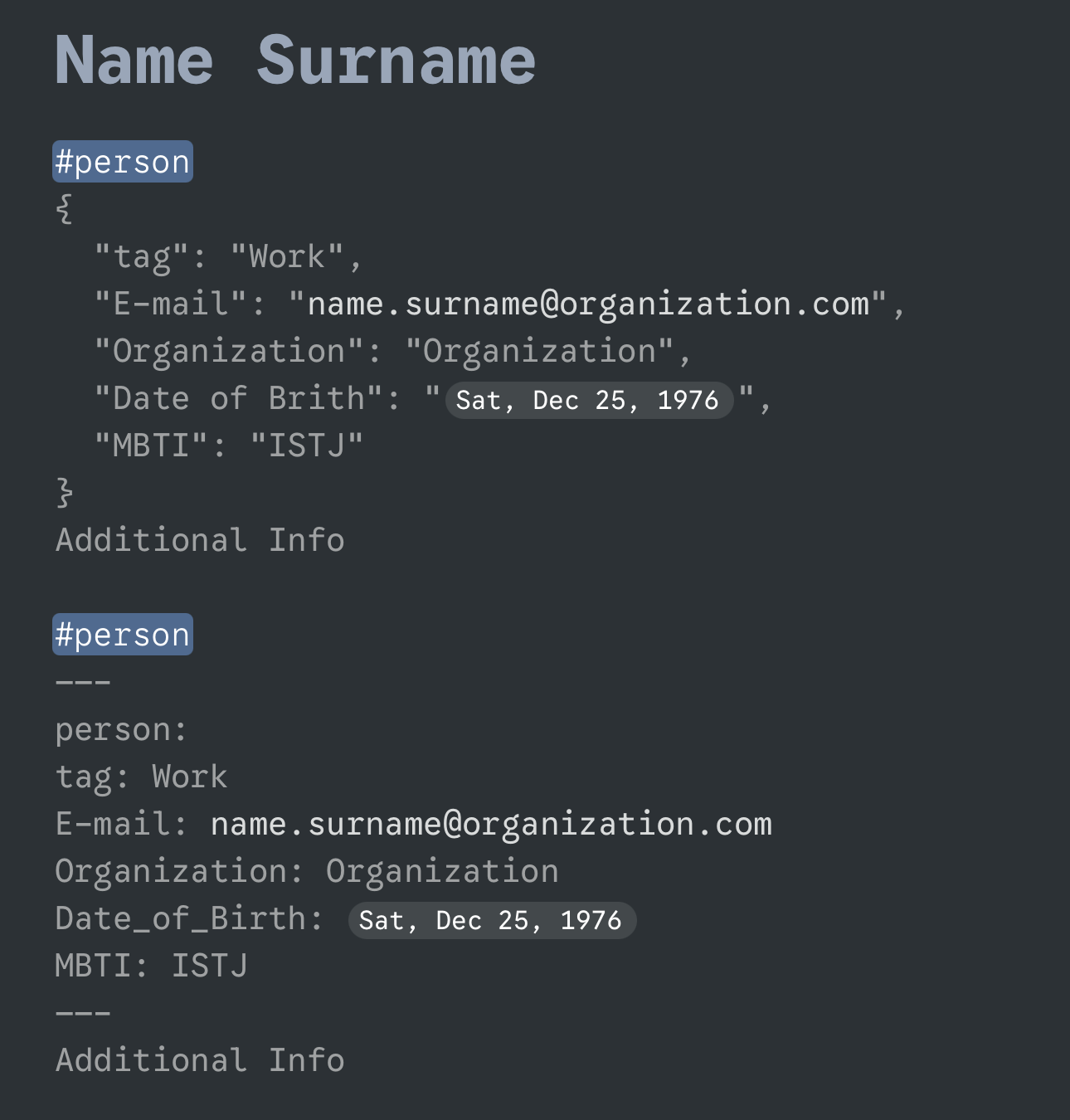
It would be nice also to be able to create a YAML frontmatter as done in Obsidian md file.
---
key_1: value_1
key_2: value_2
key_3: [one, two, three]
key_4:
- one
- two
- three
---
This could create a very very simple way to add properties to a node.
2 Likes
Or in JSON format too:
{
  "key_1": "value_1",
  "key_2": "value_2",
  "key_3": ["one", "two", "three"],
  "key_4": ["one", "two", "three"]
}
Unless I misunderstood what @chiccoach asked in the opening post, it seems like two requests are being conflated here:
- Markdown support in note fields (since there’s already rich text support there, I suppose he might have meant support for automatically identifying markdown syntax when pasting markdown-formatted text into the note field)
- Frontmatter/metadata in note fields. This sounds like a different feature and probably rather more involved to implement.
If I understood these requests correctly, then I definitely support (1), as the pasting behavior is currently inconsistent depending on whether one’s pasting into a main item’s text or the note text. But @chiccoach please correct me if I’m wrong! 
1 Like
@waldyrious
Markdown is not fully implemented in the note field of a node. @rodolfo @anatoliy please correct me.
e.g.:
You cannot use headings or bullet point
1 Like
Oh, I see, you mean block-level elements besides inline formatting. Thanks for clarifying.
1 Like
It would be great if Markdown formatting were supported in Notes — for example, using H1/H2/H3 tags.
I’d also like the option to change Notes font to the default font color, since the current light gray is hard to read when writing longer pieces like articles.
One of the best parts of Notes is that you don’t have to worry about bullets when writing longer pieces, which makes it really convenient for copying and pasting into a text editor.
Another useful improvement to Notes would be to support the same keyboard shortcuts used with bullets for moving blocks of text up and down.
3 Likes
Hi,
#2 and possible associated features would be great. I feel like this is missing in WF. It is proven to be valuable in Obsidian and Logseq. WF with its hierarchical structure could add even more natural usecases. From tracking time, expenses, all sort of summarization, … of course we would need new node type to use the data.
I know it would be a huge effort… 
2 Likes
+1 for the keyboard shortcuts in notes. Maybe, in notes, we can go full IDE with multiple cursors too 