Please provide as much information as possible so we can pinpoint what the issue is.
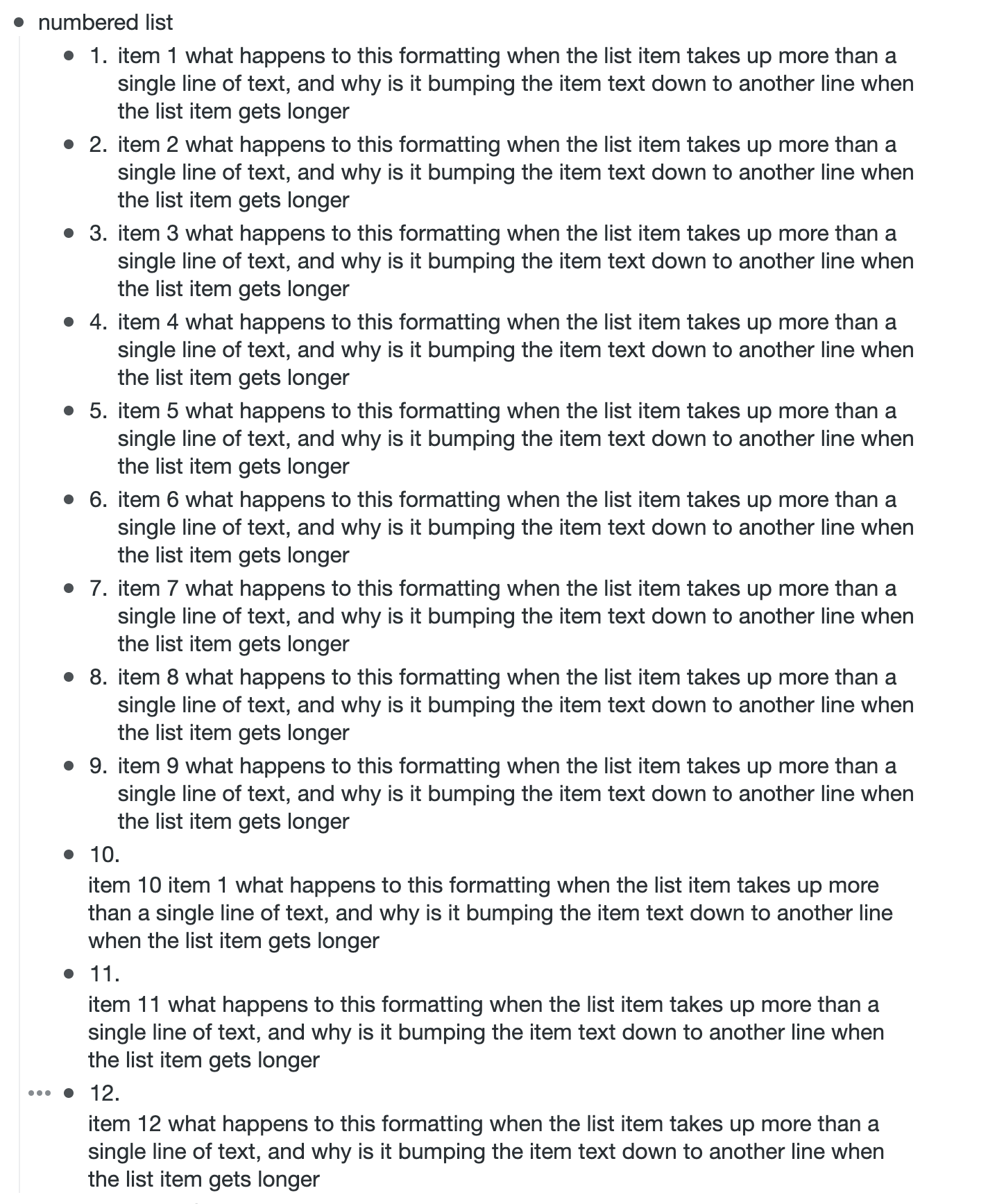
When I am typing into a numbered list, if I enter more than a single line of copy in a single item, everything works fine for the first 9 items, but once I get to item 10, the numbering stays on the first line, but the rest of my entered copy gets weirdly bumped down to another line and it looks weird.
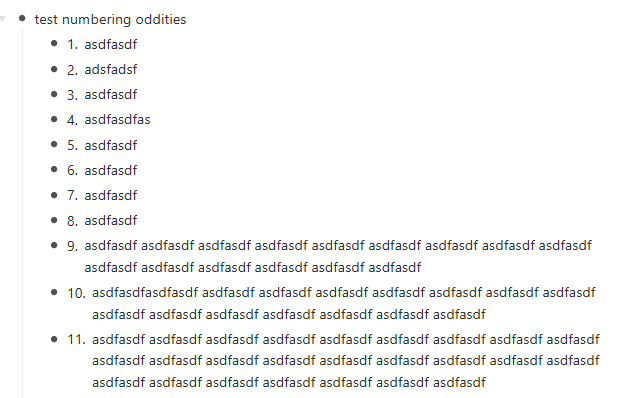
Just ran across this issue. In current version (4.3.2610121741 [beta, edge, win]) the problem as described by @iheath appears to be fixed, but there’s a small residual problem which is that wrapped lines should all have the same left margin (e.g. see Google docs or MS Word) rather than wrapping to the first character of the first line of text, as in WF, see items 10 and 11 in screenshot below).
As for @orson 's comment, I don’t understand the wording, but it appears to me that WF aligns the numbers the way most programs (again, e.g. Google or MW) do.