…or any other auto-generated items?
In my case, I already have a Today item that I maintain and keep as a starred item, allowing me to organize it where I prefer.
…or any other auto-generated items?
In my case, I already have a Today item that I maintain and keep as a starred item, allowing me to organize it where I prefer.
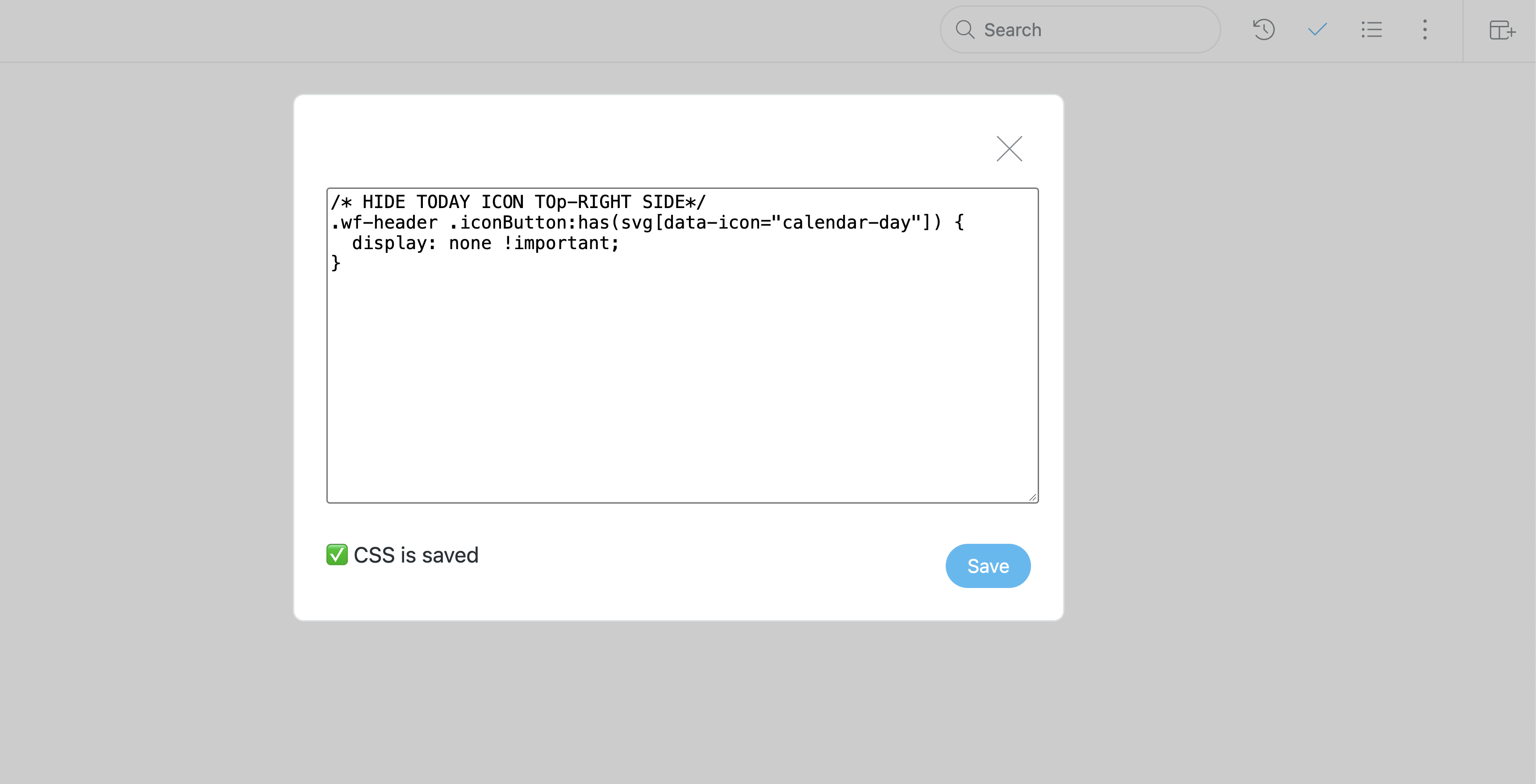
I personally used a CSS to hide the today/calendar icon from the upper right side… Beside the control+t shortcut and the left bar icon, there was another one… way too many icons everywhere for the same thing…
You need to insert/inject some code in workflowy…
READ MORE HERE!
You need this : Custom CSS Widget for WorkFlowy Bookmarklet
I used gemini to write me that little CSS code to hide the today icon, and it hides it in the app too…
You need a different code, here’s how mine looks like…
Thank you BXC. I’ll check into doing that procedure.
You could disable ‘Calendar’ in the Settings and all Today/Calendar functionality will be removed.
Thanks Phil. That does remove the ‘Today’ item. Since I’m not using the calendar functions, it’s ok for them to be disabled as well.