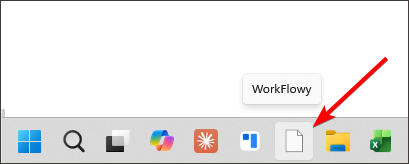
I am relatively new to workflowy and use the windows desktop application on windows 10 on two independent machines. On both I have encountered the same issue: the application after some time won’t start anymore, i.e. when I start the machine and click on the icon, workflowy doesn’t open. Often, it tells me then that the shortcut doesn’t exist anymore (the icon is still there though). When I download and install the application again, things work again. But it’s a little annoying. Is this a common problem and are there fixes to it?
Thank you,
Timo
Hi, I hope it’s ok if I push this upwards, as the problem persists, also on Windows 11. I am also confident that this is not due to individual circumstances, as the problem occurs on independent machines for me.
Same problem for me, for me it’s been like this for a long time. I stopped using the desktop app due to this and is now only using the web-app (I’d rather use the desktop app though, as it’s more convenient and faster.)