Version: 4.3.2610161809 [beta, chrome-152, linx]
When changing panes size, the right pane’s top menu breaks.
Check this out:
Version: 4.3.2610161809 [beta, chrome-152, linx]
When changing panes size, the right pane’s top menu breaks.
Check this out:
I might be misunderstanding your report, but I don’t see a bug. Starting a few days ago, multiple panes can extend beyond the horizontal window (left or right). So what I see in your video is just that the right pane has scrolled partway off the window. To see the entire right pane, including the menu dots, just scroll to the right by dragging the window with the mouse, or using the horizontal scroll bar, or with Alt+2 to focus pane 2.
Just checked, you’re right!
In that case, I suggest that you remove the “bug” tag on this thread for clarity.
Great suggestion 
But I cannot find a way to edit the post 
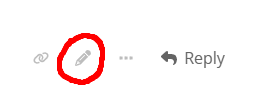
That’s exactly my problem: I don’t see no pen here  . I see a pen on every answer by not on the post
I see it on my own posts and answers, and, of course, not on other people’s posts and answers.
is this official yet? hope so because i love it this feature  Thanks
Yes, very much official
4.3.2610201242, Oct 21, 2026 - Changelog - Workflowy
1308/2Widening a pane no longer squeezes its neighbor, and the rightmost pane can now be resized. After the initial split, opening additional panes preserves existing widths; layouts wider than the window also keep their widths when the window or sidebar changes.