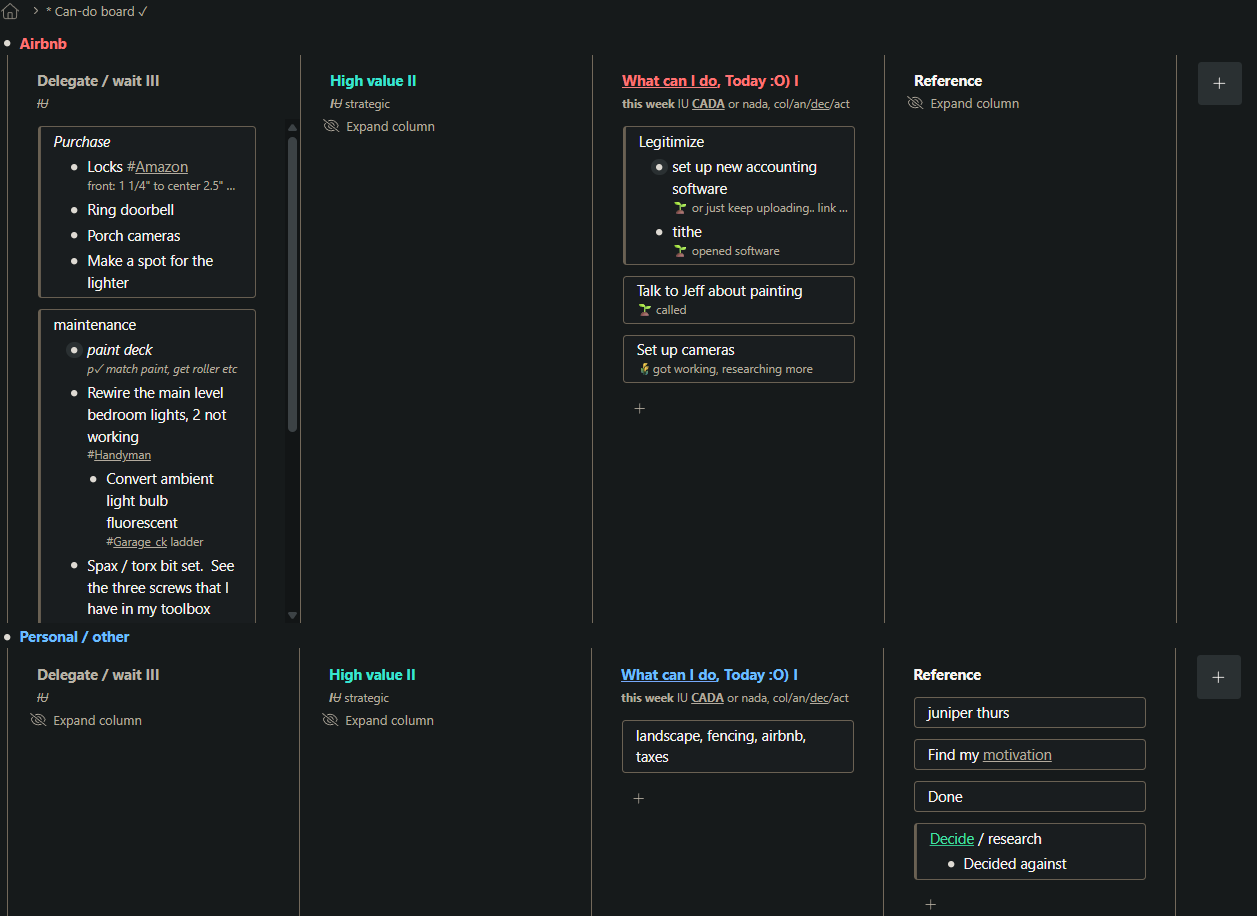
I put this in an ‘ideas’ post for a peek option in general, but the option would be especially helpful in panes, here is a screenshot for more context.
I use panes as a kanban for to-do lists and try to focus on the ‘today’ pane by hiding the other columns so everything else is not so distracting. A peek option would help me keep focus on ‘today’ with those other panes closed and still see the top items of what is hidden.
Also as seen in the screenshot, many lists are too long for panes, and I only need to see the next few items in a to-do list, so this would be a much more efficient use of pane space since I quickly lose room in the limited height. With next items / priorities of long lists are towards the top, having a peek option would help to keep focus, and everything important but hidden could still be available ‘at a glance’.
I realize that I can click to open these long lists, or just scroll easily, but peeking into all at once would be a more powerful level of control.
I really value efficiency, and wf is great to scratch that itch.