What do you mean by the current process, Cal?
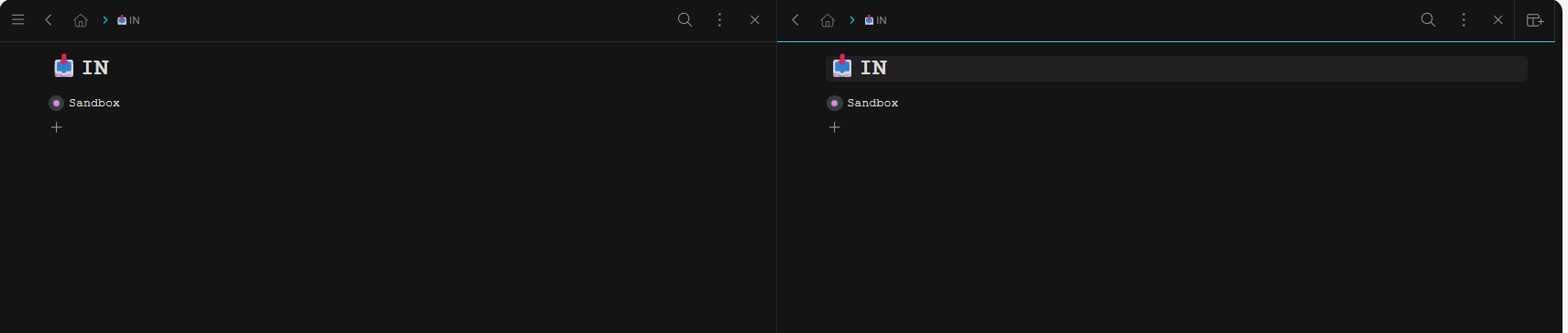
@anatoliy What multiple people above have brought up in this thread. When you are in two panes and you open another pane or you click in some form to open a link in a new pane the screen gets jumbled. Half of pane 1 is off window, pane 2 is in the middle, and the new pane 3 is some other width on the right. And it only gets better from there (hint of sarcasm). Not how it worked when you guys first introduced Panes.

1 Like
I give it a 3 to 4. One thing to adjust: the options shown when selecting a node while using panes are not the same as when not using them.
I just got the popup modal to give feedback about Panes, but i dont even know what that is haha
2 Likes
Love it. I have workflowy as Windows + 1 on all my machines, and previously I was in the habit of using shift + Windows + 1 to open a second instance, place them side-by-side, then have my to-do in one and the deep node on whatever topic in the other. This feature simplifies that all to a single keystroke and also means that subsequent windows + 1 will bring up both (all) panes.
I also noticed trouble with ctrl+shift+9/0 and echo the other posters here to please pay attention to the bug tail of new features. In the past quality issues drove me as far as checking out the competition, but not for the last few years.
Probably not fully up to date, but Panes | Workflowy Help
I’d give it a 2 or 3 (out of 5) on the utility scale.
I think the feature is great and significantly improves the completeness of workflowy as a tool, as it enables workflows that were previously impossible or difficult (those which involve working with different parts of the outline simultaneously). However, I’ve realized that I don’t often require those workflows.
In other words, most of the time I’m perfectly happy working in my single pane, but every once in a while I’m really glad I can open two panes side by side.
TLDR: super useful when I need it, but I don’t need it that often.
5 (extremely useful). Especially now that which ever pane has the focus will get the result of clicking on the navigation pane on the left (which has my starred and home expanded). I have 2 panes open constantly now.
Como introducción y contexto de mis opiniones, soy abogado independiente que trabaja (algunas veces sólo con mi asistente humano y otras con otros profesionales del derecho y/o de otras áreas) definiendo cada asunto o caso como proyectos de clientes, y, además, estudio fuentes de información y conocimiento asociadas con mi trabajo e intereses. Desde el derecho escrito, leyes, doctrina y jurisprudencia, hasta temas de interés personales y familiares.
Nota: 5
Funciona bien:
- Organización de Capturas (Clip to WF y app Supasend en mi Iphone)
- Ordenamiento y revisión de notas, estudios, proyectos y tareas (tanto personales como de trabajo)
- Revisión de escritos o informes. Suelo revisar o cotejar escritos de terceros y propios con notas e info que tengo en mi WF, por lo que trabajar con ellos dentro de WF me facilita el flujo de trabajo, colocando etiquetas o relacionando con otras fuentes o nodos mediante vínculos bidireccionales.
- Organización y revisión de mis Tareas, manteniendo los atajos antes creados.
Puntos a mejorar:
- La posibilidad de anclar en la app uno de los paneles, que sería útil para crear un panel fijo de notas de revisión anclado, pudiendo ir agregando, abriendo y cerrando Panes a revisar.
- Los errores que se han mencionado, especialmente los expuestos por @jodmarch (eres un maestro y siempre leo con atención sus comentarios. Como decimos en mi país, “el que sabe, sabe” = “Those who know, know”).
Por último, no puedo dejar de felicitar al equipo de Workflowy porque si bien me falta muchísimo para aprender a darle un mejor uso, hasta aquí me ayuda muchísimo. Y lo disfruto.
Abrazos
Overall: No complaint, it just has not been useful, can’t seem to apply it to my usage.
How useful - 2
How to improve – Offer better explanation of how it cold be useful to subscribers (application examples/ideas)
1 Like
I agree - interesting to see the two opinions here.
I’m in the group of preferring all my panes to stay in one view.
I’ve wondered about the idea of being able to “lock” a pane - if lock is enabled, the pane stays the width it’s set at, no matter what other panes are opened / closed.
I would also like it if “locking” a pane kept it viewing the same node as well.
(ie - I always want my “today” node in one pane. I frequently mess this up by accident, click a side bar location without realizing my “Today” pane has focus instead of the pane I use to bounce around. I’d love to be able to LOCK my Today pane - stay the same width, same location.)
2 Likes
2/5, but potentially 5/5. I’m still using Kanban board over Panes because it’s easier to jump into and out of the view. They are otherwise very similar currently. Dashboard would be great too, but it’s not being worked on and can’t be resized or re-arranged.
IMO, you guys have 3 options that are similar, but not great yet 
With Panes, I need to recreate them manually. I am using the MacOS app. I strongly prefer it because it’s a dedicated app to navigate to (cmd+tab, mission ctrl app view, etc.), works better offline, has dedicated shortcuts that don’t conflict with my Safari shortcuts or other custom shortcuts, and potentially system integration (with AI, custom notifications, etc.).
Strong +1 for horizontal split.
@LauraH Yeah, I should have stated that earlier. I’m for keeping the panes in one window until they get to their smallest width, at which point they roll out into the virtual to the right of the window. You can still access them via the Command Pallete shortcuts.
10!!
Is the main reason that made me come back to WF (+ all the other improvements of course)
You’re doing great!!
Love Panes
AI Translation to English of Carlos comment:
As an introduction and context for my opinions: I’m an independent lawyer who works (sometimes alone with my human assistant, and other times with other legal professionals and/or professionals from other fields), treating each matter or case as a client project. I also study sources of information and knowledge related to my work and interests, from written law, statutes, legal doctrine, and case law to personal and family interests.
Rating: 5
Works well:
- Organizing captures (Clip to WF and the Supasend app on my iPhone)
- Sorting and reviewing notes, studies, projects, and tasks (both personal and work-related)
- Reviewing documents or reports. I often review or cross-check third-party documents and my own against notes and info I have in my WF, so working with them inside WF streamlines my workflow: I can add tags or link them to other sources or nodes through bidirectional links.
- Organizing and reviewing my Tasks, while keeping the shortcuts I created before.
Areas for improvement:
- The ability to pin one of the panes in the app. This would be useful for creating a fixed, pinned pane of review notes, while adding, opening, and closing other Panes to review.
- The bugs that have been mentioned, especially those raised by @jodmarch (you’re a master, and I always read your comments carefully. As we say in my country, “el que sabe, sabe” = “Those who know, know”).
Finally, I have to congratulate the Workflowy team, because although I still have a great deal to learn about using it better, so far it helps me enormously. And I enjoy it.
Warm regards
Carlos, could you explain more how this would be different than the current ability to close some panes and open new ones?
I love using panes!
Pane widths need to auto-resize when added (sometimes I need 3).
Adding one pane works well (widths are 50% each). Adding another pushes the last one off-screen, so you have to scroll horizontally to see it. Workaround is to click and drag the column width manually.
It would be good if they auto-resized to even widths when added (eg 33% when 3, 25% when 4, etc).
1 Like
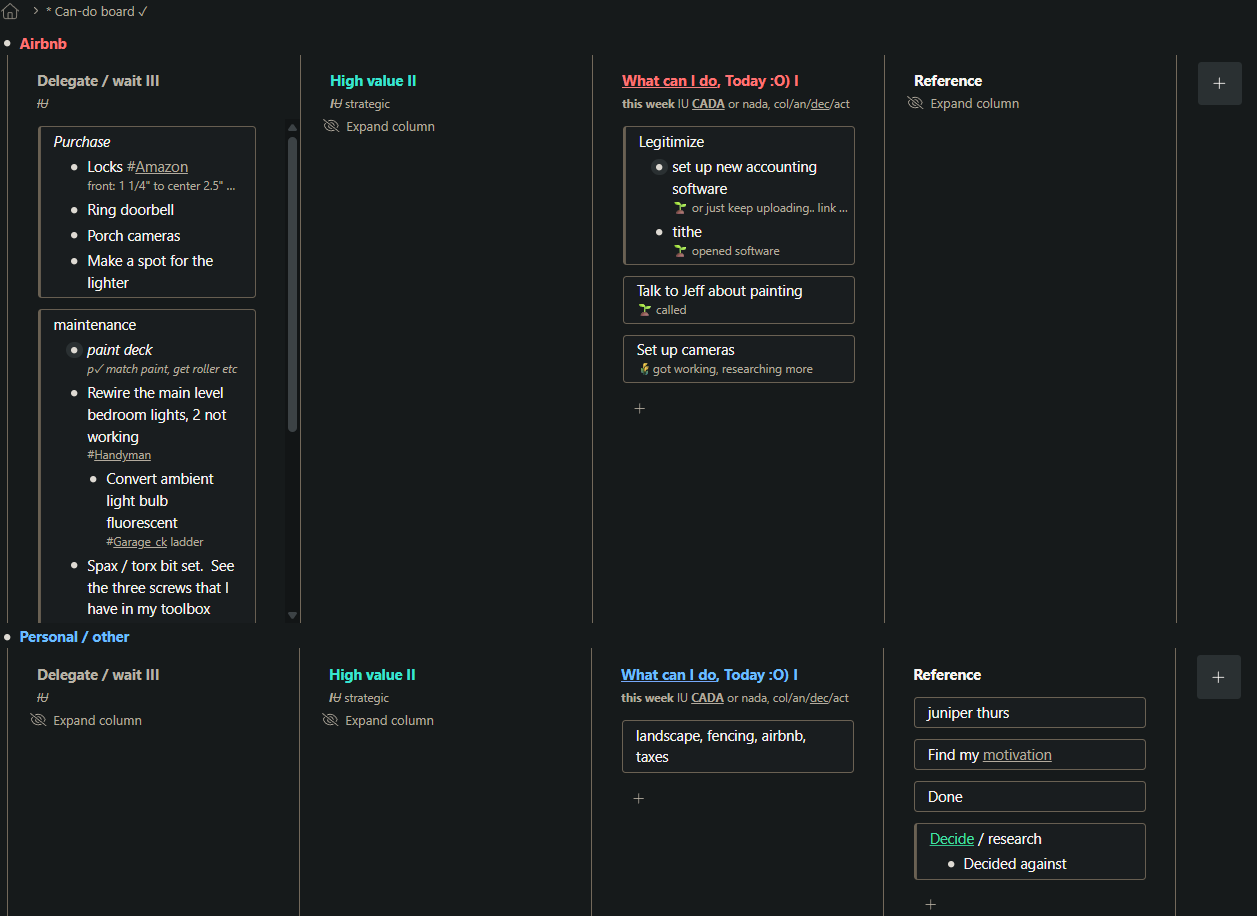
I put this in an ‘ideas’ post for a peek option in general, but the option would be especially helpful in panes, here is a screenshot for more context.
I use panes as a kanban for to-do lists and try to focus on the ‘today’ pane by hiding the other columns so everything else is not so distracting. A peek option would help me keep focus on ‘today’ with those other panes closed and still see the top items of what is hidden.
Also as seen in the screenshot, many lists are too long for panes, and I only need to see the next few items in a to-do list, so this would be a much more efficient use of pane space since I quickly lose room in the limited height. With next items / priorities of long lists are towards the top, having a peek option would help to keep focus, and everything important but hidden could still be available ‘at a glance’.
I realize that I can click to open these long lists, or just scroll easily, but peeking into all at once would be a more powerful level of control.
I really value efficiency, and wf is great to scratch that itch.
2 Likes
Great potential… agree with others that have suggested panes in horizontal as well as vertical. Such that you can create dashboards with, for example, a grid of 4x vertical panes (grid columns) with 2x horizontal panes (grid rows) - each focused on a different domain.